What to Include in a Weekly Seller Update—even When There Are No Offers
Give sellers a clear weekly update with verified activity, showing feedback, completed marketing, market context, and next steps. Includes an email template.
von Rex HanOriginally published on ActiveRain

A week passes. There have been a few showings, some online activity, and no offers. You still need to send the seller an update.
“Nothing new this week” leaves a lot unanswered. What happened at the showings? Has anyone shared feedback? What work was completed? What happens next?
A useful weekly update gives the seller a clear picture of the activity, what you have learned, and the next steps. It can be brief, even when the week has been quiet.
Here is a practical structure you can use for an email, a short call, or a one-page report.
1. Start with the status and the dates
Give the reporting period and state the offer status plainly. For example:
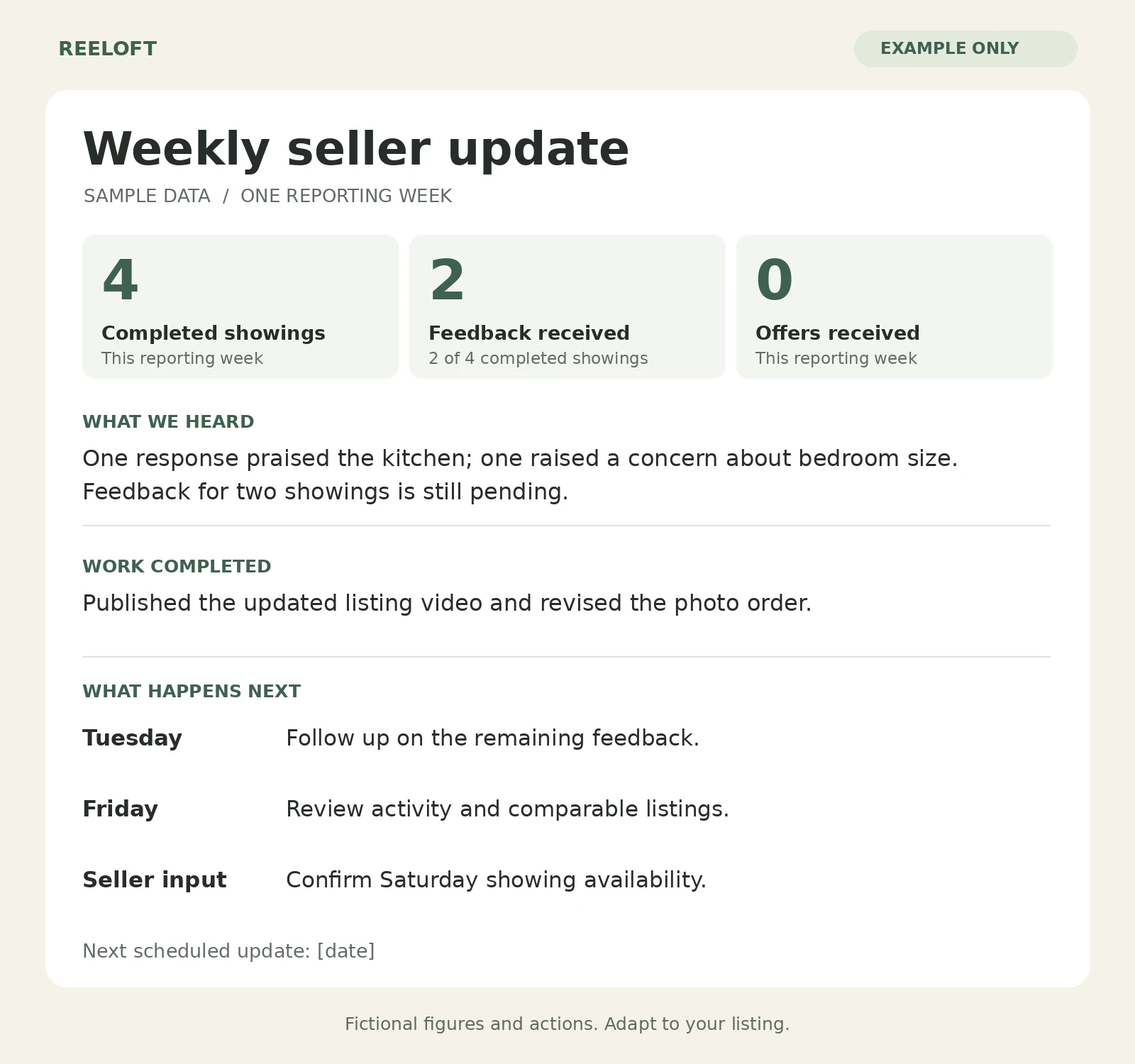
“Here is your update for [date range]. We completed four showings and received feedback from two of them. No offers were received during this period.”
The dates matter. A seller should be able to tell whether a number covers the past seven days or the entire time the home has been listed.
If you show both, label them “This week” and “Since launch.” Agree on a regular update day, and communicate time-sensitive developments as they arise.
2. Share a small set of clearly defined numbers
Choose the figures you can verify and explain:
- Completed showings, with cancellations recorded separately.
- New inquiries, using a consistent definition.
- Feedback received, alongside the number of completed showings.
- Offers received during the reporting period.
- Listing-page views or saves, if the source provides them.
Use the same reporting window and source when comparing weeks. Keep online measures separate from showings and offers: a page view does not establish that a new, qualified buyer is interested. Avoid adding views from different platforms and presenting the total as unique people.
If a metric is unavailable, say so. Missing data should not appear as zero activity.
3. Explain the feedback, including what is still missing
Summarize specific comments and identify how much feedback you actually have.
In our example, feedback arrived for two of four showings. One response praised the kitchen; another raised a concern about bedroom size. Two responses are still pending.
That is more useful than saying “Buyers love the kitchen but think the bedrooms are small,” which makes two individual comments sound like a broad pattern.
Note whether a concern has appeared repeatedly or only once. Separate what a buyer's agent reported from your own interpretation, and explain any follow-up you plan to make.
Tools such as ShowingTime's Listing Activity Report can help gather showing history and received feedback. Add your explanation of what the information means for this listing.
4. Show the marketing work you completed
Be specific about what changed and where the seller can see it.
Examples might include publishing a listing video, changing the opening photo, adding missing property information, promoting an open house, or following up on earlier inquiries.
“Published the updated property video on [channel]; here is the link” gives the seller something concrete to review.
At Reeloft, we help turn property photos into videos. If video is part of your marketing, include the finished asset in the update and report any response you can actually track. Publishing it is a completed action; inquiries or showing requests are separate outcomes.
Keep planned work in the next-steps section so the seller can easily distinguish it from work already finished.
5. Add relevant market context
Include a few verified changes among genuinely comparable properties: a new competing listing, a price change, a pending sale, or a closed sale.
Briefly explain why each property is relevant, considering factors such as location, size, condition, and features. Label active asking prices, pending statuses, and recorded sale prices accurately; they provide different information.
A quiet week alone does not explain why a home has no offers. Before recommending a change, review the available evidence across presentation, access for showings, feedback, competing homes, and pricing with the seller.
If there is no meaningful market change to report, say that. An update does not need a dramatic conclusion every week.
6. Finish with actions, timing, and any seller input
Give the seller a short plan they can follow:
- Tuesday: Follow up on the two outstanding feedback requests.
- Thursday: Review the listing information and photo sequence.
- Friday: Review new activity and relevant comparable listings together.
- Seller input: Confirm availability for Saturday showing requests.
Only include actions you intend to complete. If you need a decision, state the options, your recommendation, and when you need an answer.
Even when no immediate change is recommended, explain what you will monitor and when you will review it again.
A weekly email template you can reuse
Subject: Your weekly update for [property address] | [date range]
Hi [Seller name],
Here is your update for [date range]. We received [number] offers during this period.
Activity: [Number] completed showings, [number] new inquiries, and feedback received for [number] of [number] completed showings. [Optional: online metric, reporting period, and source.]
Feedback: [Brief factual summary, including how many responses support each point.] [Number] responses are still pending, and I will follow up by [day].
Work completed: [Action, publication date or channel, and a link where useful.]
Market context: [Verified comparable-listing changes and why they matter, or no material changes to report.]
Next steps: I will [action] by [day]. My recommendation is [recommendation and reason]. I need your input on [decision, or no decision needed this week].
Our next update will be [date]. Please let me know any questions you would like us to cover.
Best, [Agent name]
What do your sellers find most useful in a weekly update: showing feedback, the market comparison, or the plan for the coming week?
Add a finished video to your next seller update
Create a property video from approved listing photos, then include the finished video and its published link in your weekly update.