How to Create a Facebook Listing Video from Property Photos
Learn how to turn property photos into a Facebook real estate listing video with smooth motion, music, captions, property highlights, and an agent profile outro.
How to Create a Facebook Listing Video from Property Photos
Facebook is still a useful place for real estate agents to promote new listings, open houses, local market updates, and seller-focused content.
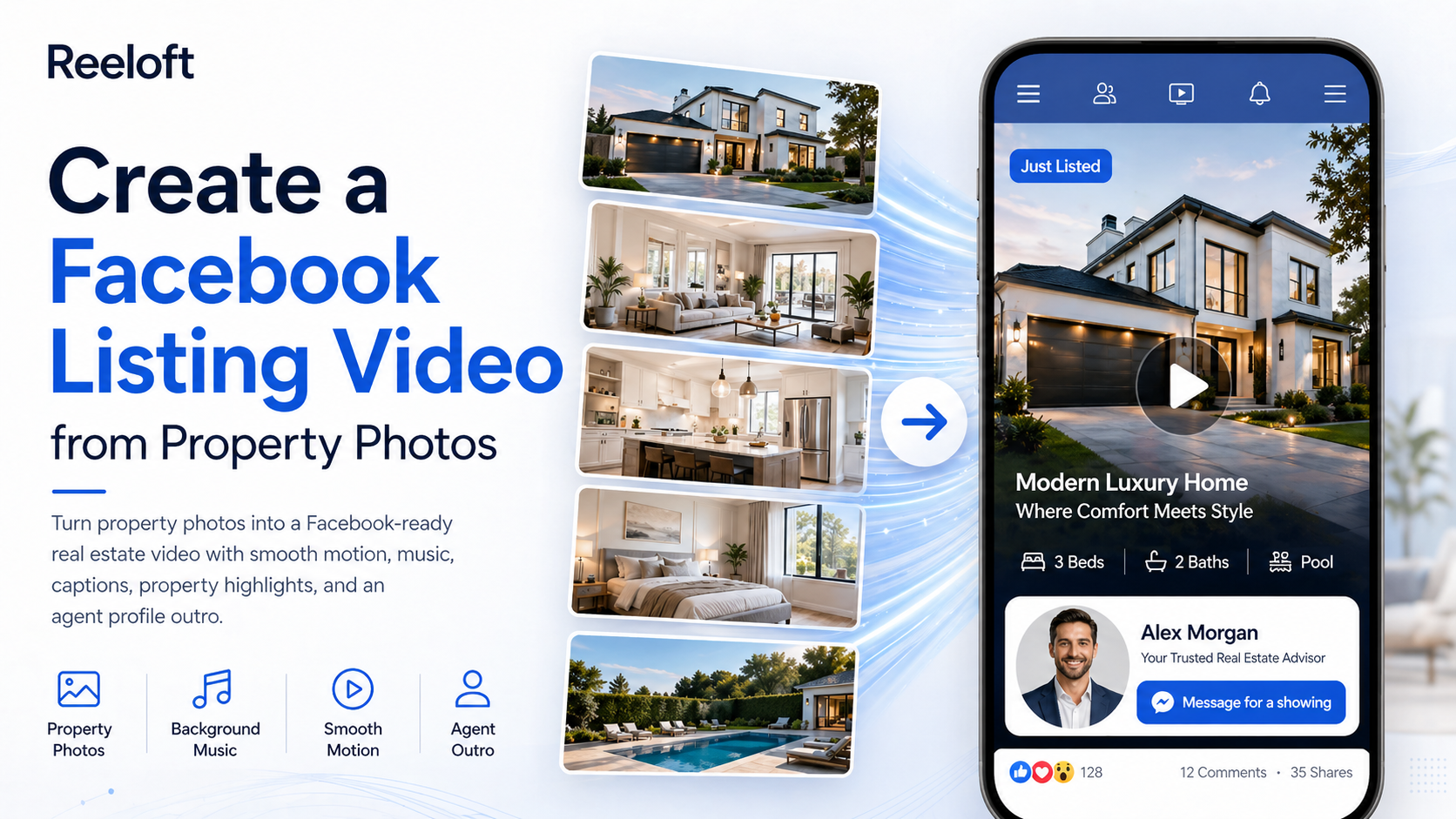
With Reeloft, you can turn property photos or a listing URL into a Facebook-ready real estate video with smooth motion, background music, short captions, property highlights, and a professional agent profile outro.
Create Facebook listing videos from property photos
Upload property photos or paste a listing URL, then Reeloft helps turn them into a Facebook-ready real estate video with smooth motion, music, captions, and agent branding.
The Problem: Facebook Listing Posts Need More Than Static Photos
- Static photo posts can be easy to scroll past
- Listing links alone may not create enough attention
- Agents need content that works for local audiences and past clients
- Manual video editing takes too long for every new listing
- A strong Facebook video should promote both the property and the agent
How to Create a Facebook Real Estate Listing Video
1) Start with Your Best Property Photos
- Use the strongest exterior or hero image first
- Include living room, kitchen, bedrooms, bathrooms, and outdoor spaces
- Add detail shots like views, pool, backyard, balcony, or upgraded finishes
- Remove duplicate or low-quality images before generating the video
2) Build a Simple Listing Story
- Open with the most attractive image
- Move through the main rooms in a natural order
- Highlight the strongest property features
- Add a clear call-to-action near the end
- Finish with your agent profile outro
3) Add Motion So the Post Feels More Active
- Use slow zooms for premium room details
- Use gentle pull-back motion to reveal space
- Use subtle side movement for depth
- Keep the motion smooth and professional
- Avoid fast effects that make the property feel less polished
4) Add Short Captions and Property Highlights
- Add the city, neighborhood, or listing area
- Mention bedrooms, bathrooms, price, or square footage if relevant
- Highlight one or two standout features
- Use simple captions that are easy to read on mobile
- Keep text clean so it does not cover the property photos
5) Choose Background Music That Fits the Listing
- Use warm music for family homes
- Use cinematic music for luxury listings
- Use upbeat music for social-first posts
- Use calm ambient music for elegant property tours
- Keep the music supportive instead of distracting
6) End with an Agent Profile Outro
Make your Facebook listing posts look more professional
Turn listing photos into a polished real estate video with property highlights, background music, captions, and a branded agent outro.
- Show your name and role
- Add your brokerage or company
- Include phone, email, website, or social handle
- Use a clear CTA like “Message me for a private showing”
- Make every listing video also work as agent branding
The 5-Minute Facebook Listing Video Workflow
- Minute 1 — Upload property photos or paste a listing URL
- Minute 2 — Select the best images and arrange the flow
- Minute 3 — Choose video style and background music
- Minute 4 — Add captions, property highlights, and agent details
- Minute 5 — Generate, preview, export, and post to Facebook
Facebook Listing Video Ideas
- Just listed announcement
- Open house invitation
- 15-second property tour
- Luxury highlight video
- Neighborhood lifestyle preview
- Price-point/value highlight
- Sold story or listing recap
- Agent-branded property showcase
Facebook Caption Ideas for Real Estate Videos
- “Just listed — take a quick look inside.”
- “New home on the market in this area.”
- “Message me for a private showing.”
- “Open house this weekend — save this post.”
- “Know someone looking for a home like this?”
Why Facebook Listing Videos Help Agents
- They make listing posts feel more dynamic
- They are easy to share with local buyers and sellers
- They help agents stay visible to past clients
- They turn property photos into reusable marketing content
- They make the agent’s marketing look more professional